Data Management
Tape Restore
To restore an experiment, e.g. 2023-03-Xu, from tape to its original location on voyager
(base) usertxm@txmthree ~ $ source /home/dm_id/etc/dm.setup.sh
(dm-user) usertxm@txmthree ~ $ dm-restore-experiment --experiment 2023-03-Xu
id=0293f99b-c724-402f-af94-1f2606499d96 name=restoreArchive experimentName=2023-03-Xu status=pending
You can check the status of the restore process with:
(base) usertxm@txmthree ~ $ dm-restore-experiment --experiment Finfrock-2023-03
Unfinished archive task with id 0293f99b-c724-402f-af94-1f2606499d96 already exists for experiment Finfrock-2023-03
or with:
(base) usertxm@txmthree ~ $ dm-get-archive-task --id 0293f99b-c724-402f-af94-1f2606499d96 --display-keys ALL
Tape archive
To archive an experiment, e.g. 2023-03-Xu, from voyager to tape:
(base) [user2bmb@handyn]$ source /home/dm_bm/etc/dm.setup.sh
(dm-user) [user2bmb@handyn]$ dm-archive-experiment --experiment 2023-03-Xu
Download
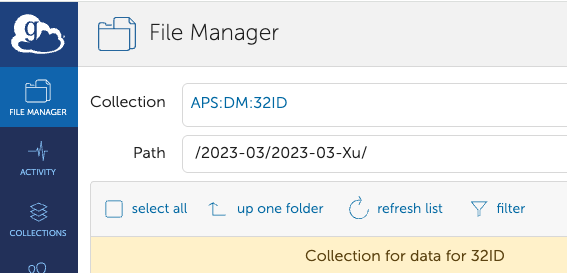
You can download data stored on Voyager directly using Globus. Simply select your beamline collection (e.g., APS:DM:32ID), navigate to the experiment path (e.g., /2023-03/2023-03-Xu), and choose the specific datasets to download. In the Globus destination window, select your desired folder on your computer.
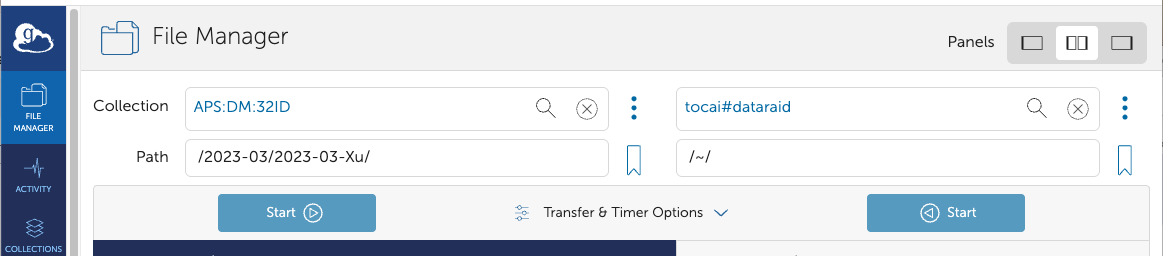
To download an entire experiment (e.g., 2023-03-Xu) from Voyager to /data/ (e.g., the mount point for tomodata1:/data/), you can use the dm-download command as follows:
(base) usertxm@txmthree ~ $ source /home/dm_id/etc/dm.setup.sh
(dm-user) usertxm@txmthree ~ $ dm-download --experiment 2023-03-Xu --destination-directory  /data/
For more details see the DM instruction.